Location: Old Nation House (Opp Fire Station or Koja Stage) a long Tom Mboya st. 2nd floor, Shop No. C15, Nairobi CBD
Offering the best laptop and MacBook repair services in Kenya, we are the top choice of customers. Contact Laptop Repair Full computer solutions for the best quality services at the most reasonable prices! We handle laptop and MacBook repairs.
We provide All Brands laptop repair services in Full computer solutions. Laptop Repair Full computer solutions offers a comprehensive range of laptop repair and upgrade services along with friendly customer service. We guarantee you a service that stands out in terms of quality, reliability, honesty, and privacy.
At Laptop Repair Full computer solutions, what make us different from other related service providers in the scenario are speedy repairs, outstanding services, and convenience.
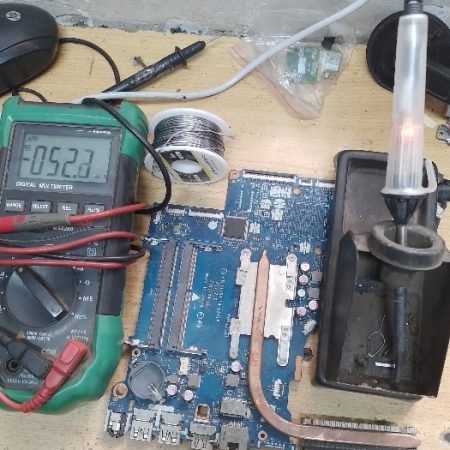
- Motherboard repair and replacement
- Keyboard repair and replacement
- Laptop Memory upgrade
- Hard drive upgrade
- Laptop Display Panel Replacement
- Laptop RAM / Memory Replacement / Upgrade
- Laptop Bios Problem
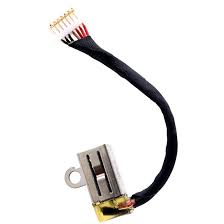
- Laptop DC / Power Jack Repair and Services
- Laptop Power Problem Repair and Services
- Laptop Display Repair and Services
- Laptop Operating system Repair and services
- Laptop Broken services
- Laptop Display Panel Repair and Replacement
- Laptop Cooling Fan
- HP Laptop Repair in Nairobi Kenya
- Dell Laptop Repair in Nairobi Kenya
- Lenovo Laptop Repair in Nairobi Kenya
- Toshiba Laptop Repair in Nairobi Kenya
- Samsung Laptop Repair in Nairobi Kenya
- Asus Laptop Repair in Nairobi Kenya
- Acer Laptop Repair in Nairobi Kenya
LAPTOP CHARGING PROBLEM FIXING IN NAIROBI KENYA AT FULL COMPUTER SOLUTIONS.
Is your laptop not charging even though it’s connected to the charger?
How to fix Laptop Not Charging?
What is cost of fixing Laptop Not Charging?
Even though you’ve connected your laptop to the charger, it may sometimes fail to charge, leaving you with an empty battery and could potentially ruin your work, especially in critical situations. The issue could be related to either hardware or software , and here’s how you can identify the issue and fix it.
What To Do When Your Laptop Is Not Charging Even Though It’s Plugged In
- Check The Power Outlet.
- Check The Charger Or Port For Damages/Burns.
- Check If Your Laptop Charger Is Powerful Enough.
- Try Removing Battery & Connecting The Laptop.
- Check If Your Laptop Is Overheating.
- Check Power Settings In Windows Or MacOS.
- Update/Reinstall Battery Drivers.
- Reset SMC On MacBooks.
- Seek Professional Help.
Fixing Broken Power Jack
The power jack provides the power to the device, and it can be the reason for a broken charging port. If the power jack of your laptop has a direct connection with the motherboard and is not soldered, then you can easily replace that one. If your power jack is soldered to the motherboard instead of having a removable connection, for that, you will first need to desolder the power jack and then replace it with a new one.
Modern laptops do have glowing LEDs in their charging cables. If that LED is glowing, it means that your laptop is receiving proper power. Most adapters have a long wire covered with an insulator material which is mostly rubber or plastic. You need to carefully cut the insulator covering using a sharp knife or cutter. Then pull the wire inside it to see where the actual problem is.
Changing the Faulty Capacitors
Now, look at that part of the motherboard, which has transistors and capacitors present on it. If you witness swollen capacitors, then it means there is a problem with the capacitors. A very easy solution to this problem is to buy a new pair of capacitors and replace it with the old ones.
Faulty Adapter
Another major cause could be having a faulty adapter. Sometimes it is not the charging port that is broken but the adapter which has been faulty for a long time. In that scenario, you just need to contact the repairer to find the problem with the charger.